
Which Apple TV does Neverlag run on?
Every Apple TV with tvOS 17 or newer. The subscription covers Apple TV, iPhone, iPad and Mac together, Family Sharing included.
IPTV on Apple TV
An IPTV player for tvOS that you set up without typing on the remote, and that keeps the picture running when the provider drops out.
Apple TV · iPhone · iPad · Mac · Fire TV · Android soon
Now on the App Store for Apple TV, iPhone and iPad. The Mac app follows shortly under the same link. One purchase for all Apple devices (Universal Purchase).
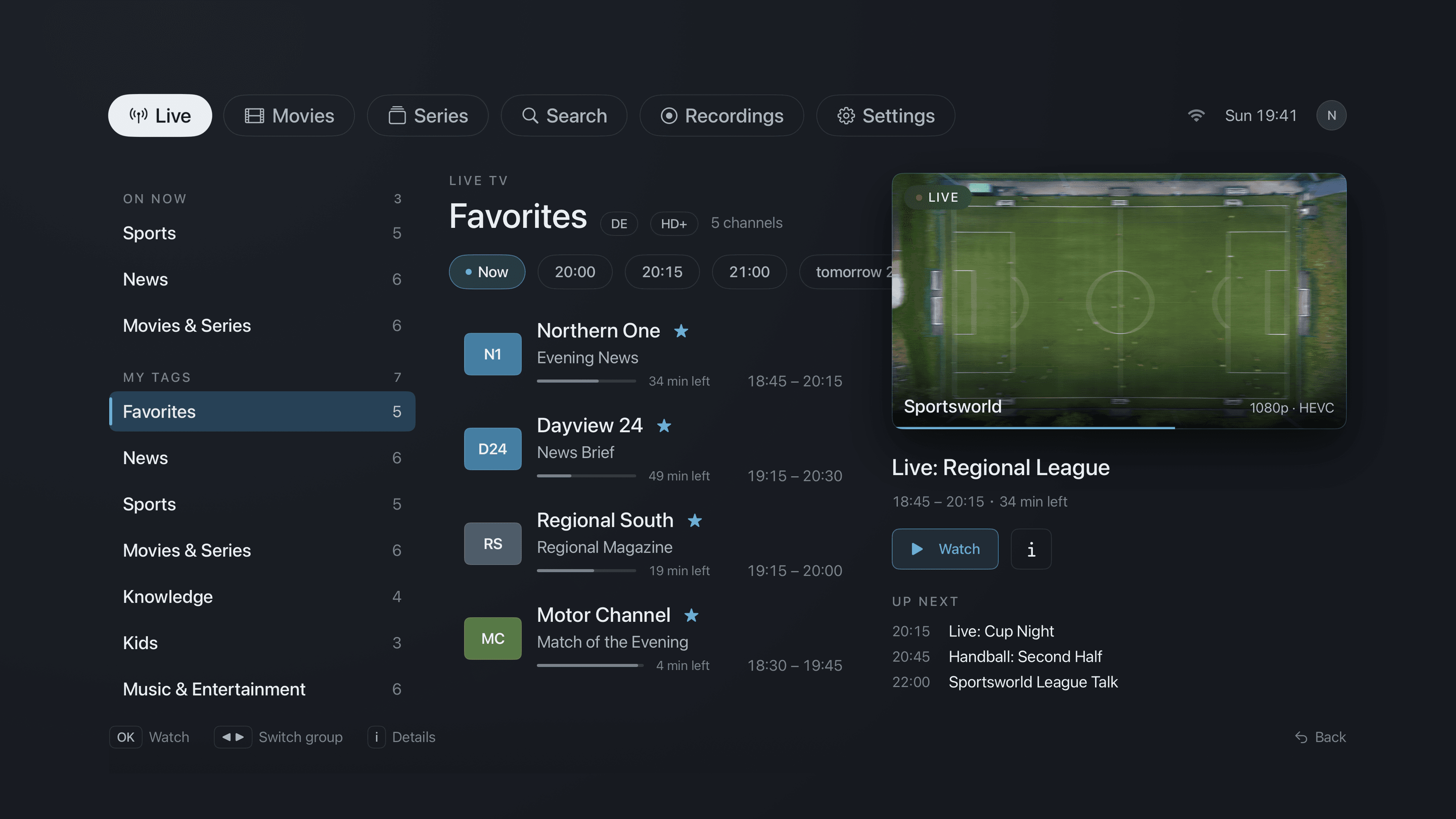
The Apple TV is the device most people want IPTV on — and the one where setup hurts most: long server addresses and passwords typed letter by letter with the Siri Remote. Neverlag skips that. The TV shows a code, your iPhone or Mac sends the credentials.
Neverlag plays what you bring: an M3U playlist or the credentials of an Xtream Codes provider. It contains no channels and recommends no providers.
Open Neverlag on the Apple TV: it shows a six-digit code and a QR code. On the iPhone, iPad or Mac, choose “Send to Apple TV”, enter the code or scan it — and the provider credentials go to the TV encrypted over your home network. If the devices are not on the same network, an encrypted iCloud mailbox carries them and is deleted after the transfer.
You can also type the credentials on the TV. Nothing is stored anywhere but in the device keychain.
Fetching and playing are two separate parts in Neverlag. One keeps a reserve of 20 to 30 seconds; when the connection breaks, a new one is fetched in the background while the picture keeps running. Nothing starts over, the rewind buffer stays.
Measured: connection cut for 20 seconds — no freeze. Cut for 60 seconds — the picture stood for 40.3 seconds, and the stream did not start over. New connection 1.1 to 2.1 seconds after the server was back.
Providers deliver a few seconds at a time and then pause. A player without a reserve shows that as a spinning circle. Neverlag bridges these pauses from the reserve.
Measured in everyday use: 10 delivery pauses of 6.2 to 9.4 seconds — 10 of 10 without any freeze.
The programme guide comes from your provider (Xtream) or from an XMLTV link. Pause live TV, go back 30 seconds, back to live — on every channel. Recordings on the Apple TV go to a NAS via WebDAV; the iPhone or Mac sends the NAS setup to the TV in one step. Movies and series (VOD) from your provider get their own section.
1080p and 4K without HDR run clean on the Apple TV. At 4K with HDR the current picture path still loses images even though the stream arrives clean; we are working on it and publish the numbers in the Lab. For even motion, switch on “Match Frame Rate” in the tvOS settings.
Neverlag is an IPTV player for Apple TV, iPhone, iPad, Mac and Fire TV for Xtream Codes and M3U providers. It separates fetching the stream from playing it, so that connection drops do not lead to reloads. Measured: 60 seconds without a connection, zero reloads.
Measured: Neverlag, in the Playback Lab, on our own devices. Other players: not yet measured. We name no providers and recommend none — you bring your own list or credentials.
Every Apple TV with tvOS 17 or newer. The subscription covers Apple TV, iPhone, iPad and Mac together, Family Sharing included.
No. The Apple TV shows a six-digit code and a QR code; the iPhone, iPad or Mac sends the credentials encrypted. Typing on the TV works too.
Yes, to a NAS via WebDAV — that is the one recording destination on the Apple TV, because tvOS keeps no files of its own. Recording while the Apple TV is off is not possible.
Usually only with HDR: at 4K with HDR the current picture path still loses images on the Apple TV even though the stream arrives clean. 1080p and 4K without HDR run clean. The numbers are in the Lab; the fix is in progress.
No. You need your own M3U playlist or the credentials of an IPTV provider; the lawfulness of the source is your responsibility. Neverlag names no providers and recommends none.
Your list, your provider — try it free for 7 days, then you decide. Mac, iPhone, iPad, Apple TV. Family Sharing included. Cancel any time.
Now on the App Store for Apple TV, iPhone and iPad. The Mac app follows shortly under the same link. One purchase for all Apple devices (Universal Purchase).
Neverlag is a player. You need your own M3U playlist or credentials from an IPTV provider. Neverlag does not contain, deliver or broker any content.