No freeze No lag No reload

The IPTV player that doesn’t reload.

Other players wait until the picture stands still – then reload. Neverlag acts before that. Your Xtream Codes login or M3U list, your provider – on Apple TV, Mac, iPhone, iPad and Fire TV.

Your list, your provider — try it free for 7 days, then you decide. One purchase for Apple TV, iPhone, iPad and Mac.

Apple TV · iPhone · iPad · Mac · Fire TV · Android soon

// 21:47 — the match is on

It gets tense. Freeze. You zap away. Zap back. The commentator says the same sentence twice.

By the time it’s back, the goal is in.

Most freezes aren’t your provider. They’re your player.

Other players fetch the stream and play it in one go. When the line drops, they only notice once the picture stands still – then they reload, the sentence repeats, and your rewind is gone.

Neverlag splits the two. One part fetches and keeps a reserve, the other part plays. When the line drops, a new connection is up before the reserve runs dry. And if something does stutter, Neverlag tells you whether it was the provider, your Wi-Fi or your device.

Measured. Not promised.

How we measured
reloads
0
with the connection cut for 20, 30, 45 and even 60 seconds.
freezes in 15 minutes
0
on a throttled line. Same line, a player that reloads instead: 42 freezes.
until 4K is back
2 min
after a drop to HD – by itself, without a break.
still frame on a restart
0.5 s
Others show two seconds of black. Neverlag holds the last picture.

What your IPTV player never did for you.

01 — The reserve

Connection gone? You won’t notice.

Neverlag plays from its reserve and builds a new connection in the background – before the picture can stop. Once the server is back, the new connection is up in 1 to 2 seconds.

Playback Lab: connection cut for 20 seconds – nothing reloaded, half a second of stutter at the join.

02 — 4K

Steps down last. Comes back first.

New connection, other route, other source of the same channel – a lower resolution is only the very last step. Every few minutes Neverlag checks whether 4K runs again, and switches back without a break.

03 — Provider down

No error screen. A detour.

Providers list the same channel several times. Neverlag groups them into one entry – and when one route dies, it takes the other by itself. Measured: picture back over the other route after 14 seconds.

04 — Slow line

Slows down a touch. Never nags.

Your provider delivers a little less than the channel needs at prime time? Neverlag plays slightly slower instead of reloading over and over. You won’t see it – the diagnostics will tell you.

05 — Diagnostics

It tells you who’s to blame.

Provider, Wi-Fi or device – in plain words. A network test, a session timeline and 30 days of history. All stored only on your device.

It was your Wi-Fi. The provider delivered cleanly.

06 — One account, two screens

Doesn’t kick your girlfriend out.

Another device is watching? Neverlag waits instead of fighting for the slot, shows how many connections are allowed and active – and tells you when you’re back on.

07 — One referee

One fix at a time. Not three panics.

Reconnect, change quality, switch route – doing all at once turns a short dropout into a long one. A referee inside the player lets exactly one mechanism react, and tells you in one line what it did.

Switched to 1080p – your line couldn’t carry 4K.

One player. Every screen.

A native IPTV app on Mac, iPhone, iPad and Apple TV – one purchase, Family Sharing included. Favourites and playback positions travel with you via your private iCloud. On Fire TV with the same recovery mechanisms.

See all apps
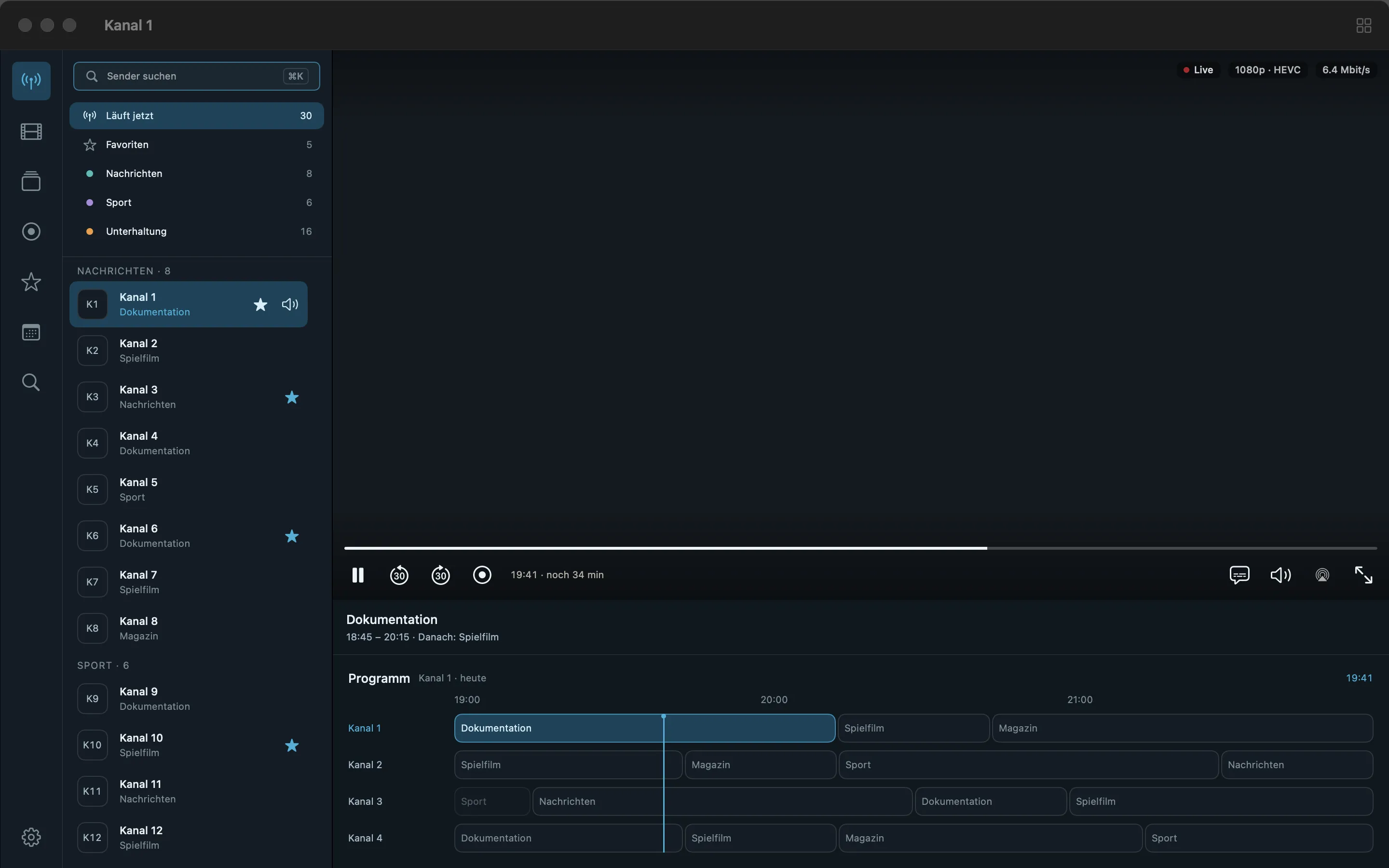
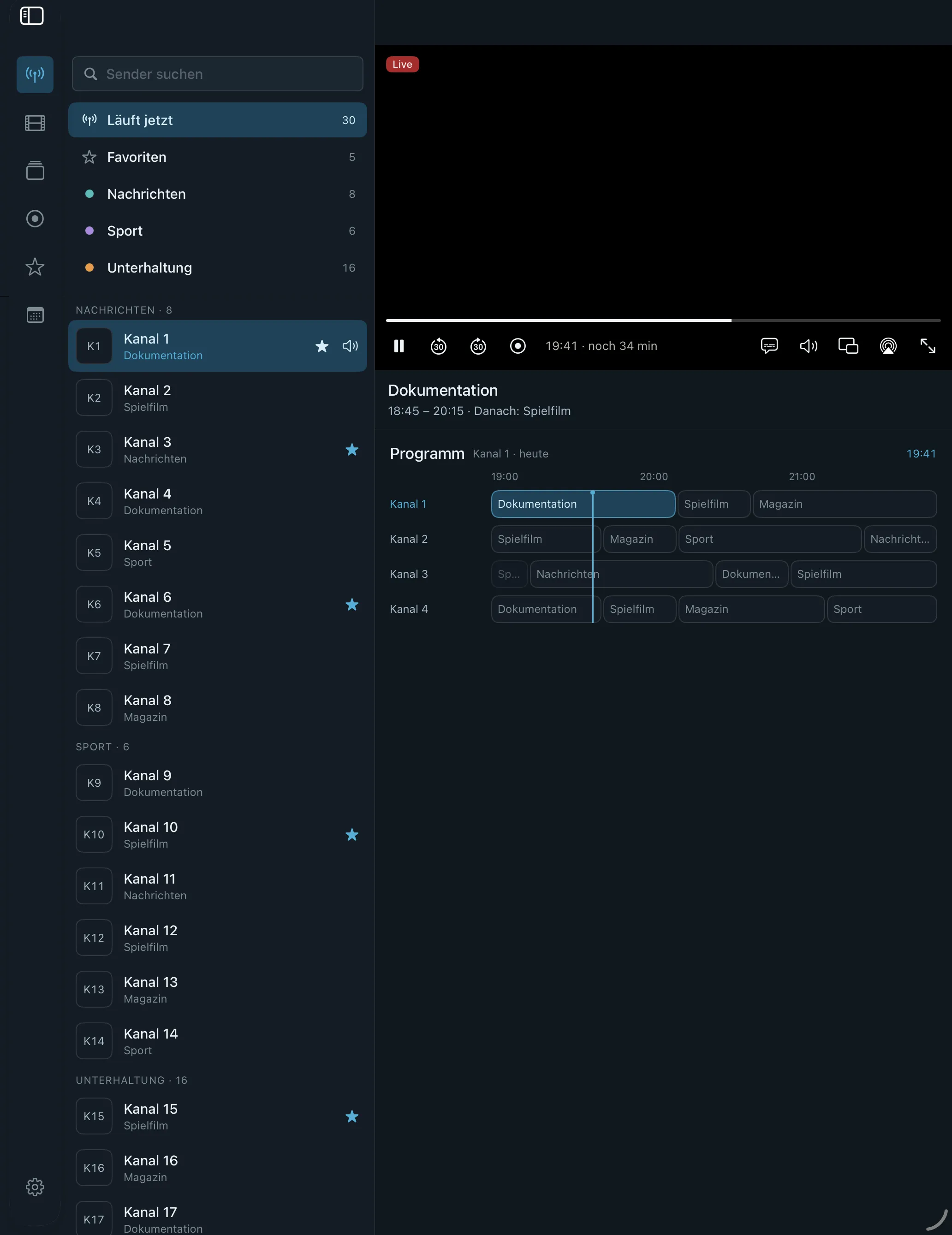
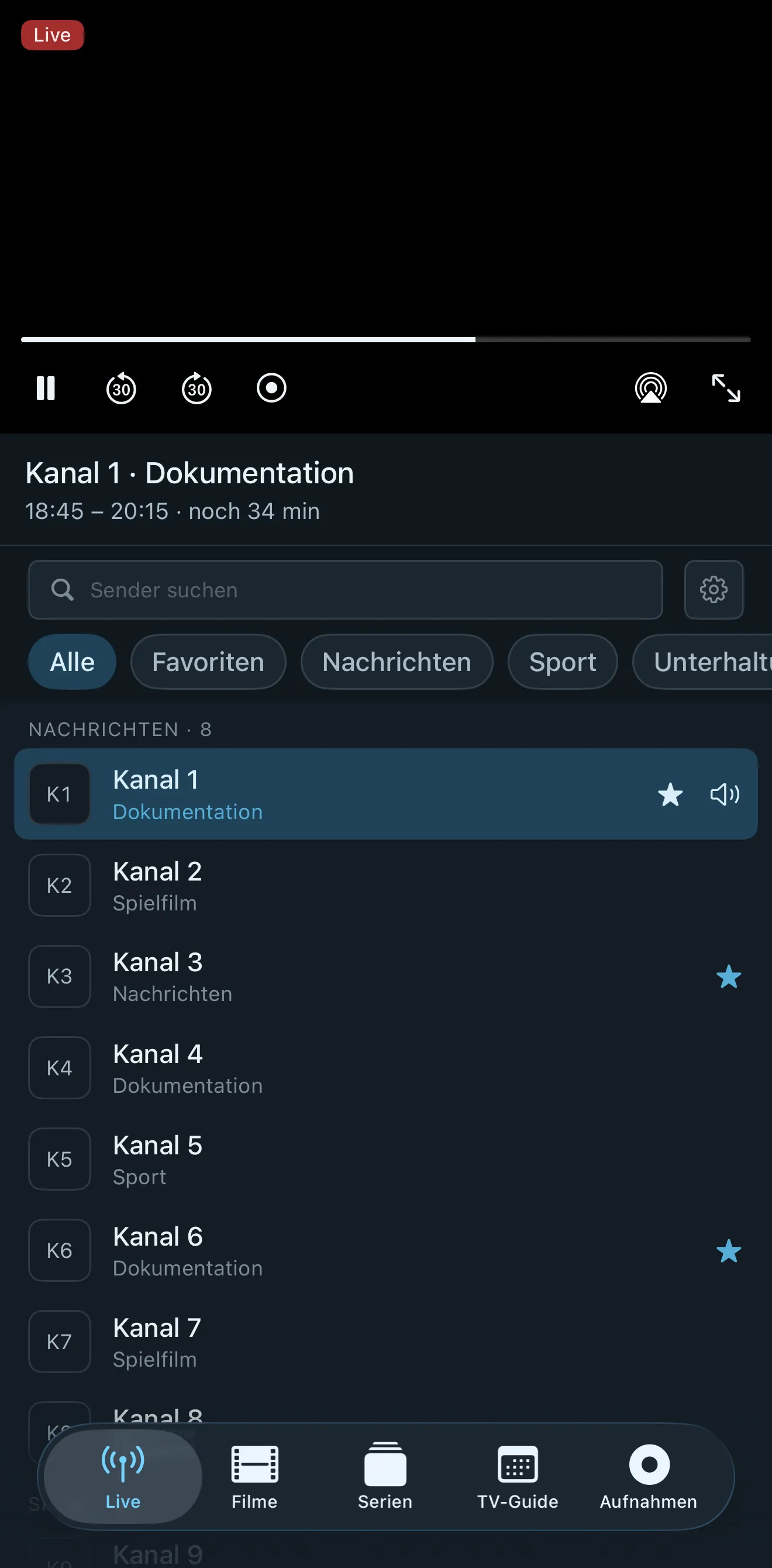
Neverlag IPTV player on Mac with channel list and programme guide Neverlag IPTV app on iPad with channel list and live picture Neverlag IPTV app on iPhone with channel list

Neverlag vs. the rest

Others reconnect after the freeze. We act before it.

Not a feature-list contest. This is about what happens when the network or the provider doesn’t play along – and what the others tell you about it in their own store listings.

Feature Neverlag UHFIPTVXiPlayTV
Acts on disturbances before the picture stands still. Yes: Yes, measured: 20 seconds without a connection, nothing reloaded, picture kept playing from the reserve Not mentioned in the storeNot mentioned in the storeNot mentioned in the store
Brings 4K back by itself. Yes: Yes, measured: 4K again two minutes after the switch to HD, without a break Not mentioned in the storeNot mentioned in the storeNot mentioned in the store
No black picture on restart. Yes: Yes, measured: two minutes of recording with a restart, no black picture, just half a second of still frame Not mentioned in the storeNot mentioned in the storeNot mentioned in the store
Short server hiccup? The picture keeps going. Yes: Keeps a reserve and fetches a new connection in the background; cut for 60 s, zero reloads Reconnects automaticallyNot mentioned in the storeNot mentioned in the store
Tells you why it stutters: provider, network or device. Yes: Plain-language verdict, 30-day history, all local Not mentioned in the storeNot mentioned in the storeNot mentioned in the store
One subscription for Mac, iPhone, iPad and Apple TV. Yes: One subscription, four devices, native Mac app iPhone, iPad, Apple TV; Mac as iPad appMac as iPad app; “PRO – TV” bought separatelyApple TV only; iPhone and iPad as a separate app
Record and rewind, no server of your own. Yes: Record from the guide, series rule, timeshift on every channel Recording via “UHF Server” on your own computerProvider catch-upProvider catch-up
Set up Apple TV from your iPhone, no typing. Yes: Six-digit code, credentials sent encrypted, no account Transfer a backup via QR code or PINPhone pairing for the IPTVX account; the rest via iCloudNot mentioned in the store
No account, no tracking, no ads. Yes: No analytics, no advertising ID; nothing leaves your device Contains ads; identifiers and diagnostics; accountTracking per label: location, usage; IPTVX and iCloud accountUsage and diagnostics data, not linked to you
Family Sharing for the subscription. Yes: Included, up to six people Yes Separate “Annual – Family Sharing” plan Yes

Checked on 7 September 2026 in the Swiss App Store: description, device list, in-app purchases, privacy label and ad notice of every app. A tick means: documented there and equivalent. Text means: this is what the listing says instead. “Not mentioned in the store” means: the listing says nothing about it — not that it’s missing. So far we have only measured Neverlag; every number is in the Lab. We’ll measure the other players as soon as our test bench can drive them.

Full IPTV player comparison

Playback Lab

Don’t believe us. Pull the plug.

We cut the server without warning and count what breaks. Same channel, same devices, several runs per case – and every run published, including the ones we lose. The numbers come from the journal every Neverlag installation writes.

Open the Playback Lab
Server cutFreezeNew connectionReloads
20 snone1.3 s0
30 s11.4 s1.2 s0
45 s18.2 s1.1 s0
60 s40.3 s2.1 s0

Mac release build, 8 September 2026. A 60-second outage is longer than any reserve – the picture pauses, but the stream never reloads and your rewind stays.

And everything else you’d expect.

Apple TV set up from your iPhone

Your TV shows a code. Your iPhone or Mac sends the login, encrypted, over your home network. No typing server addresses with a remote.

Guide, recordings, timeshift

Seven-day guide, record from it – single shows or series – as lossless MKV. Pause and rewind live TV on every channel.

Xtream Codes & M3U player

Server, username, password – or just your M3U playlist. XMLTV guide data, SD to 4K. Duplicate channels merged into one.

Nobody’s watching you

No account. No tracking. No ads. Logins in your keychain, history on your device – 30 days, then it’s gone.

Stop watching the spinner.

Your list. Your provider. Try Neverlag free for 7 days – then decide. Family Sharing included.

Neverlag is a player. You need your own M3U playlist or credentials from an IPTV provider. Neverlag does not contain, deliver or broker any content.