
Profiles and child profile
Each person gets their own favourites, history and channels. The child profile sees only what you allow; a PIN protects the rest.
Profiles and parental controls →The apps
Built natively for Mac, iPhone, iPad and Apple TV – one subscription for all four, Family Sharing included. Fire TV today. Android soon.
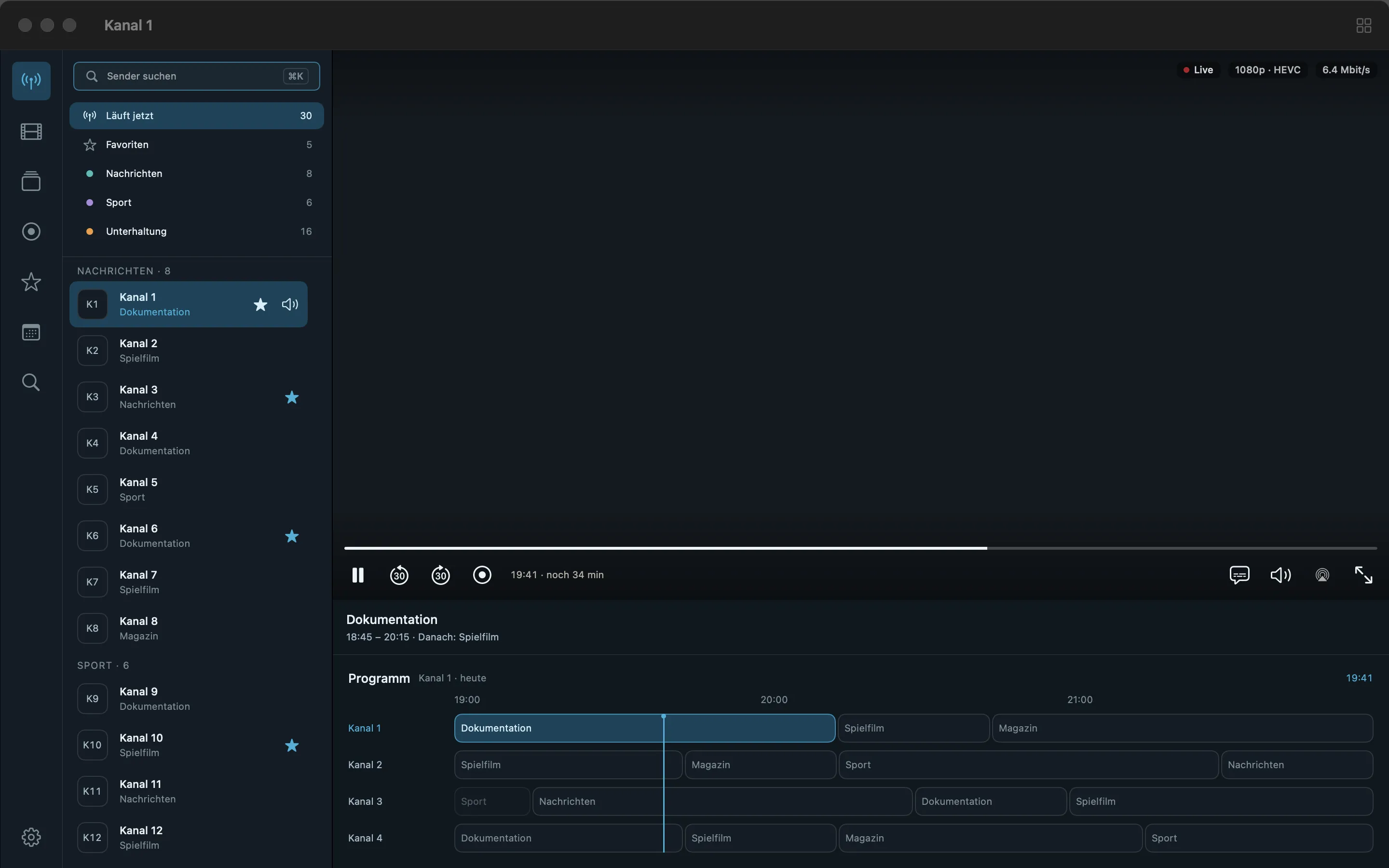
The IPTV app for Mac that was built for a Mac: keyboard, mouse, windows, your folders.
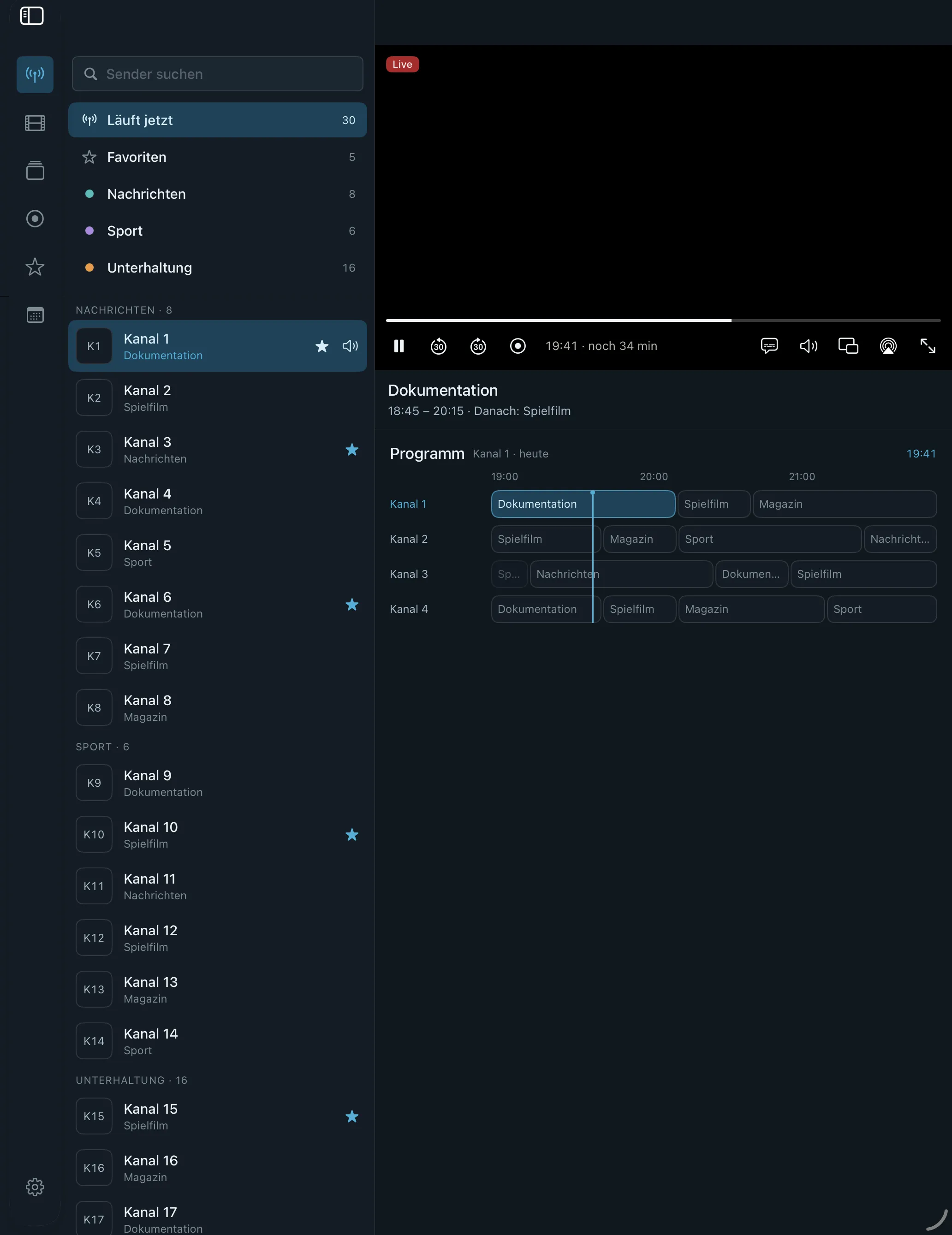
IPTV on iPad with the sidebar open: channels, favourites and the programme in one view.
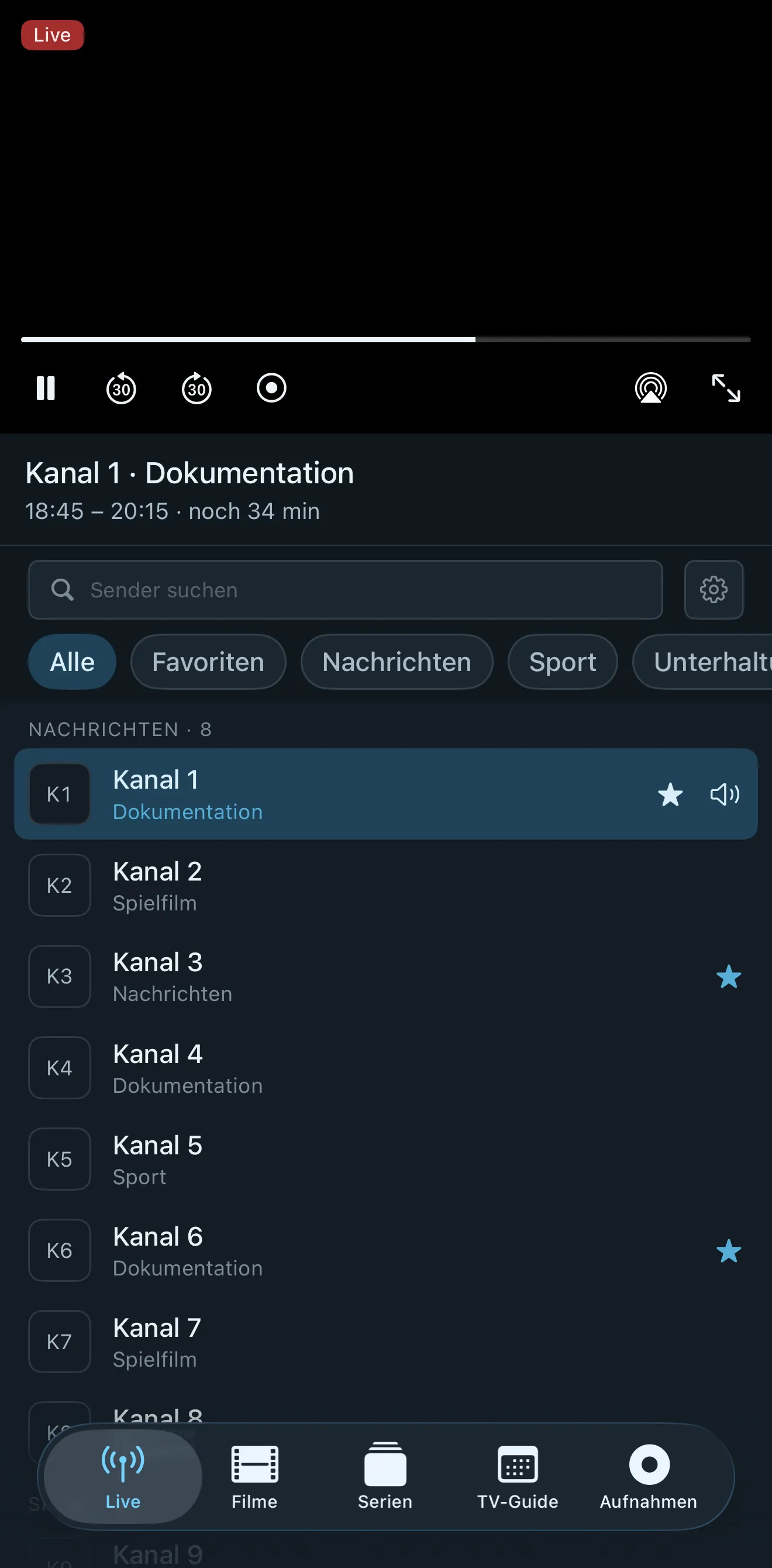
IPTV on iPhone that survives the walk out the door.
IPTV on Apple TV, set up from the phone in your hand.
IPTV on the Fire TV Stick 4K and 4K Max with the same recovery mechanisms as the Apple apps: reserve, background reconnect, other route, 4K back by itself. Fire TV has no Play Store, so you install Neverlag in four steps – signed, with checksum.
Settings → My Fire TV → About. Press the device name seven times until “You are now a developer” appears.
Settings → My Fire TV → Developer options → Install unknown apps. Allow Downloader there.
Free in the Amazon Appstore.
Open Downloader, type neverlag.app/downloads/firetv/latest.apk , choose “Install”.
The checksum must match the downloaded file, the fingerprint must match the app’s signing certificate. If either differs, the file did not come from us unchanged.
Android — in progress, Play Store version to follow. Follow us on Instagram or TikTok and you’ll know the day it lands.
New in 1.0.2
from version 1.0.2 – store update follows shortly
Profiles for everyone in the household, an archive as a library, a 7-day free trial with your own list – and a player that switches the source by itself when the picture stands still.
Each person gets their own favourites, history and channels. The child profile sees only what you allow; a PIN protects the rest.
Profiles and parental controls →If your provider keeps the programme for a few days, you watch missed shows from the start – as a library by show or by channel.
IPTV catch-up (archive) →With your own list, nothing charged. Everything runs: live TV, guide, movies, series, archive, recordings, Apple TV.
How the trial works →If data arrives but no new picture, Neverlag switches within seconds to another variant of the channel – and tells you in one line.
Source switch →50 Hz on the Mac in full screen, 120 Hz on iPhones with ProMotion, motion smoothing to try. Pans run evenly.
Frame rate →If a file has its voices in the wrong channel, Neverlag mixes them back in – for that file only. The journal shows what happens to the sound.
Audio rescue →| Device | Requires | Get it | Recordings go to |
|---|---|---|---|
| Mac | macOS 14+ | App Store – follows shortly | Any folder or NAS (WebDAV) |
| iPad | iPadOS 17+ | App Store | Files app or NAS |
| iPhone | iOS 17+ | App Store | Files app or NAS |
| Apple TV | tvOS 17+ | App Store | NAS (WebDAV) |
| Fire TV | Fire OS 7 or 8 | Direct download, signed | Device storage (app folder), no NAS |
| Android | Android 9+ | Google Play – soon | App folder on the device (Files app) |
Free for 7 days on every Apple device. One subscription, every screen.
Neverlag is a player. You need your own M3U playlist or credentials from an IPTV provider. Neverlag does not contain, deliver or broker any content.