
Does the test cost anything?
No. The test build is free and you can stop at any time. Whether and how Neverlag for Android is paid for later on the Google Play Store, the store shows when the time comes.
Before Neverlag arrives on the Google Play Store, it runs with a small group on real devices: phone, tablet, Android TV, Fire TV. You sign up here, we invite you.
Loading the sign-up status …
Sign-up is not reachable right now. Please try again in a few minutes.
Sign-up opens shortly
The exact time is not set yet — check back in a few days.
We announce the start here and in r/NeverlagBeta.
Sign-up is closed
Enter your details below and you are on the list for the next round.
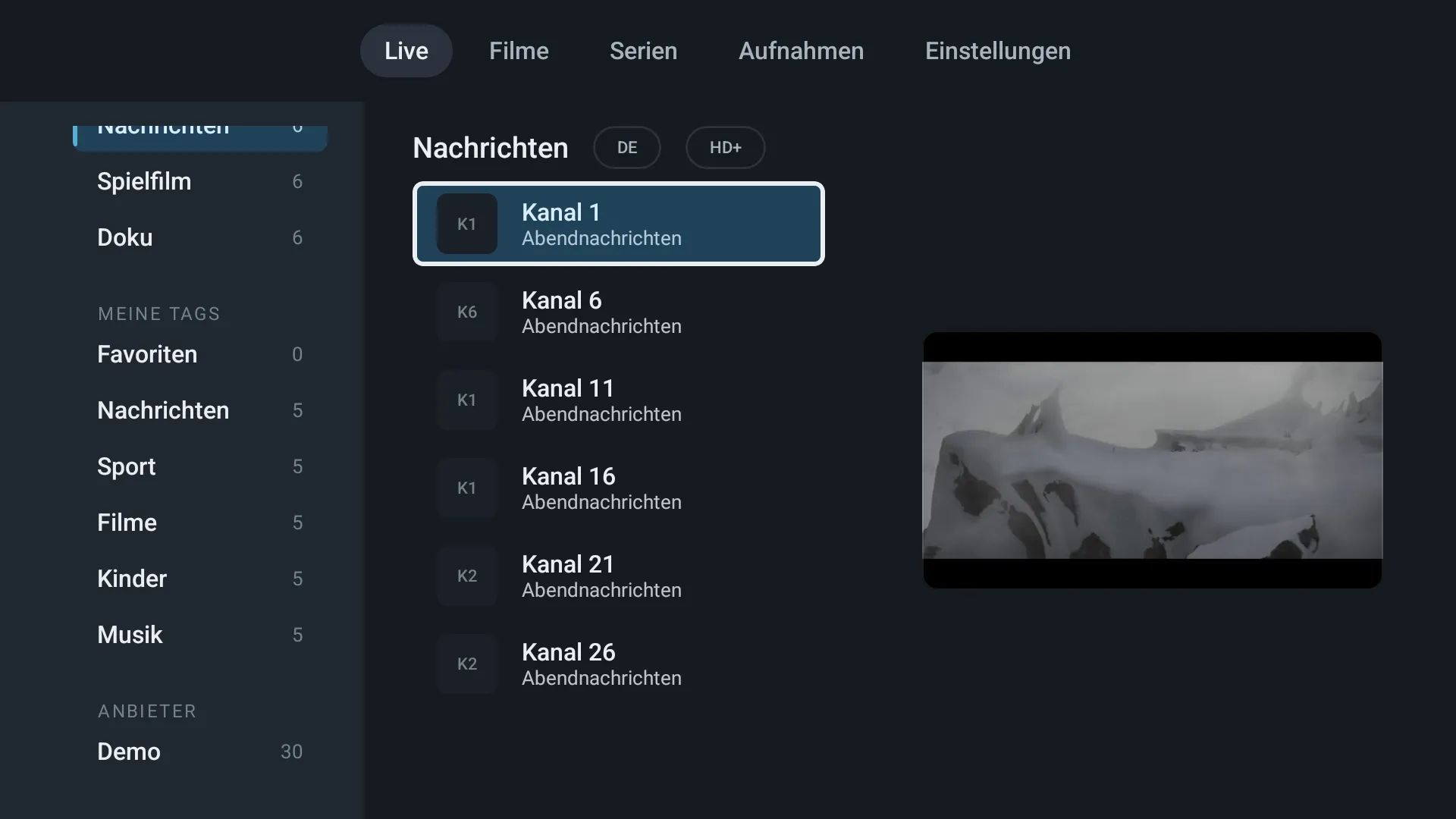
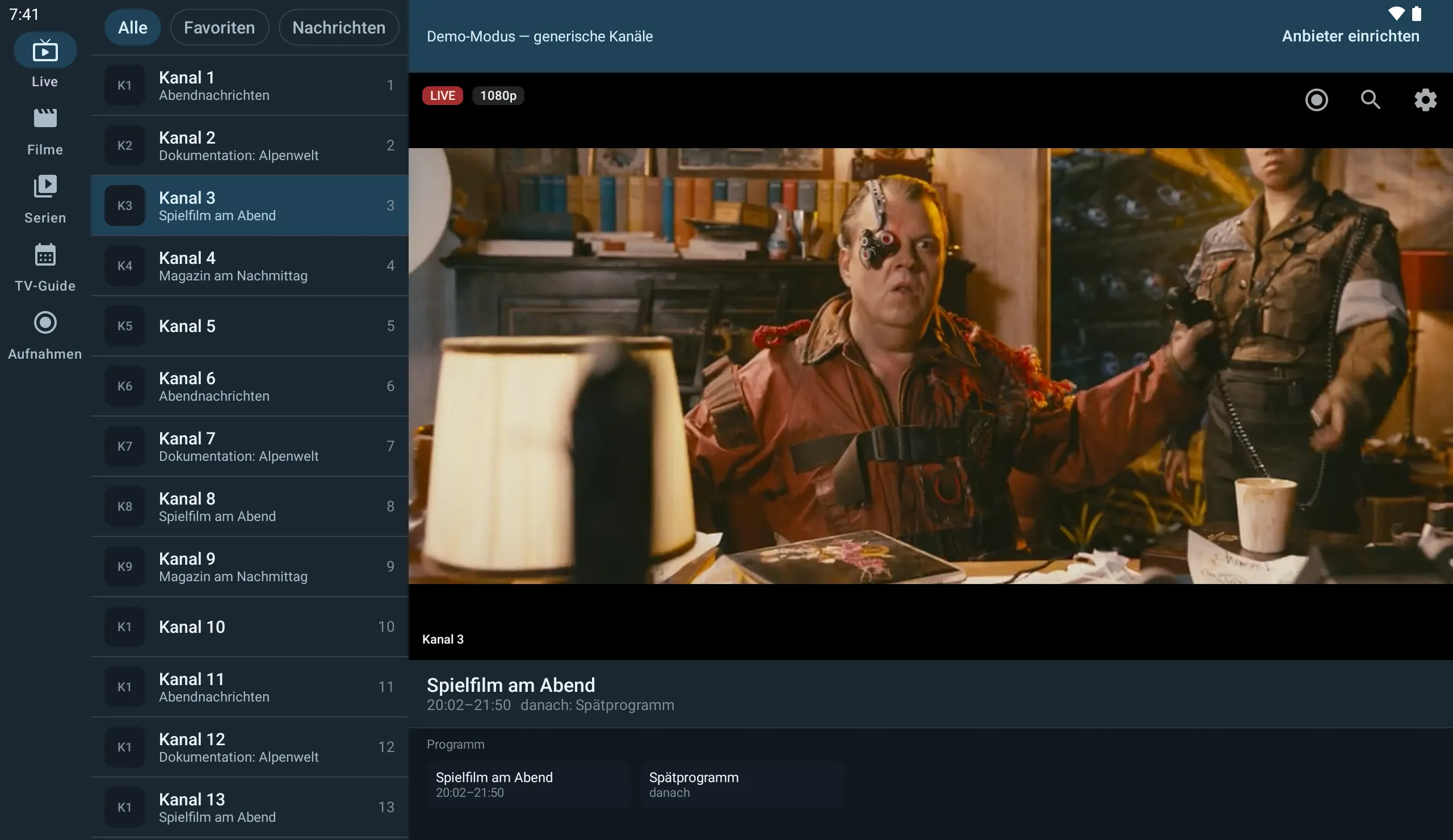
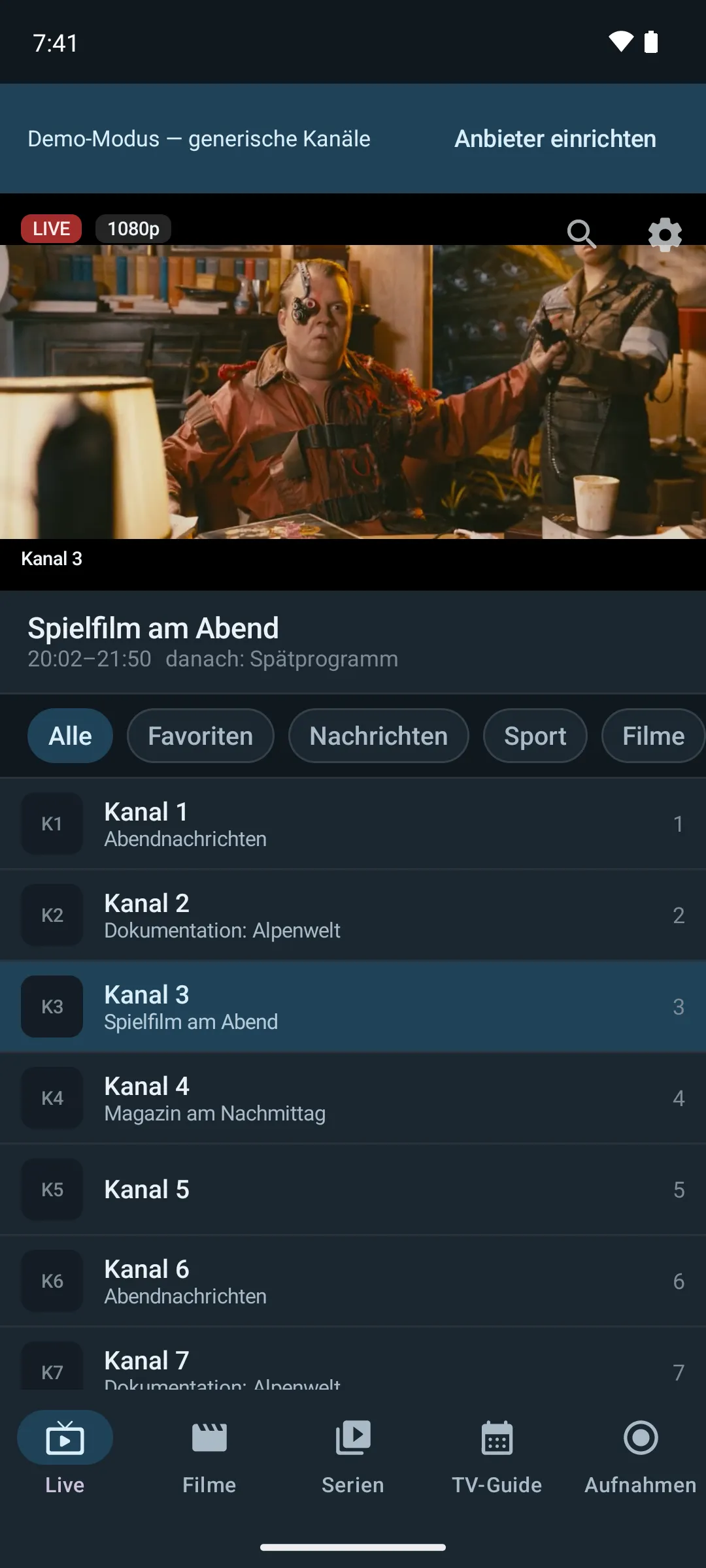
The same player
Neverlag for Android is the same player as on Apple TV, iPhone, iPad and Mac: one part of the app fetches the stream and keeps a reserve on the device, another part plays from it. When the connection drops, it reconnects in the background before the reserve runs out.
You get an early build — live TV, movies and series, programme guide, timeshift — and watch the way you normally do. With your own playlist or your provider’s credentials; Neverlag delivers no content.
It is a test: some things are missing, some are unfinished, and that is exactly what we want to hear from you.
Devices
You can test with one or several devices. Depending on the device, the app reaches you in different ways:
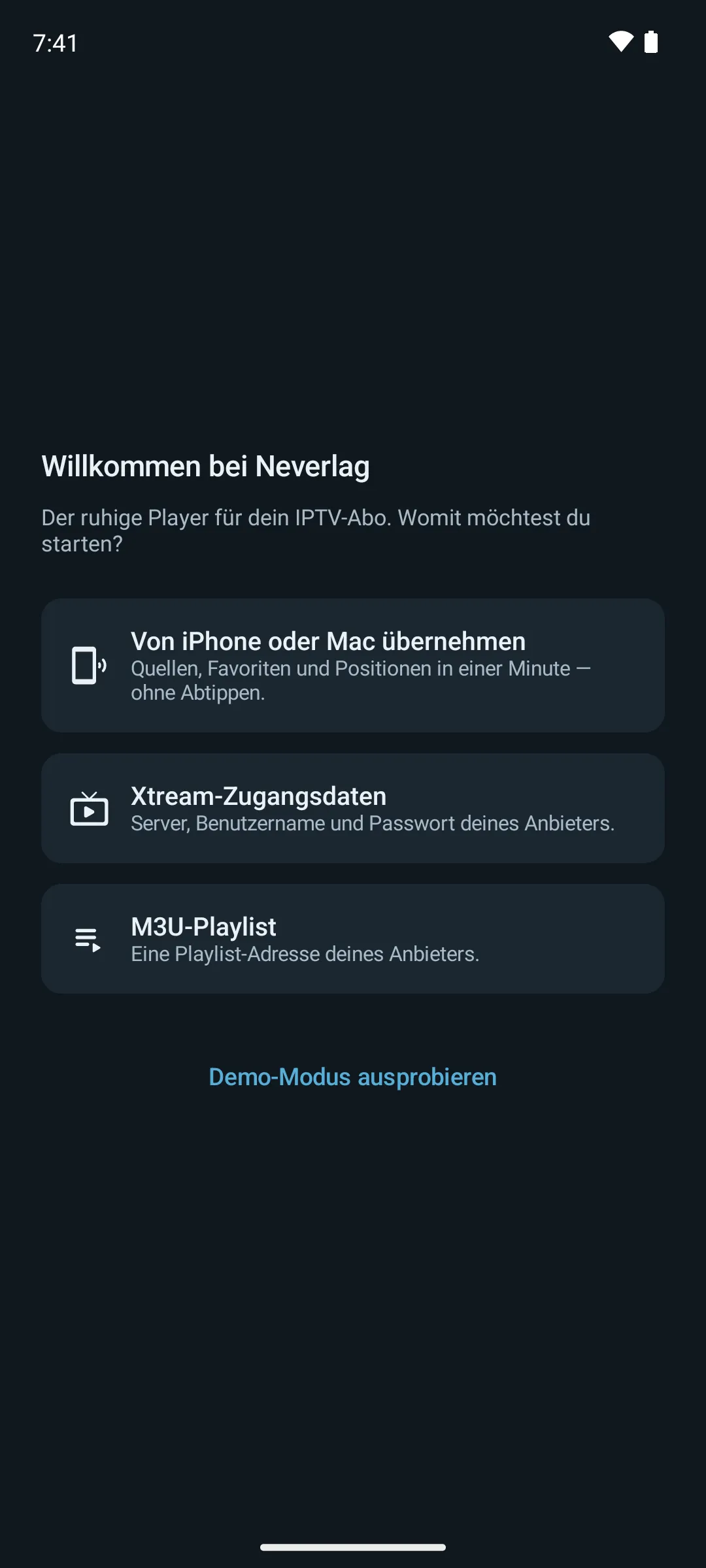
Android 9 or newer.
Through the closed test on the Google Play Store — you receive an opt-in link after signing up.
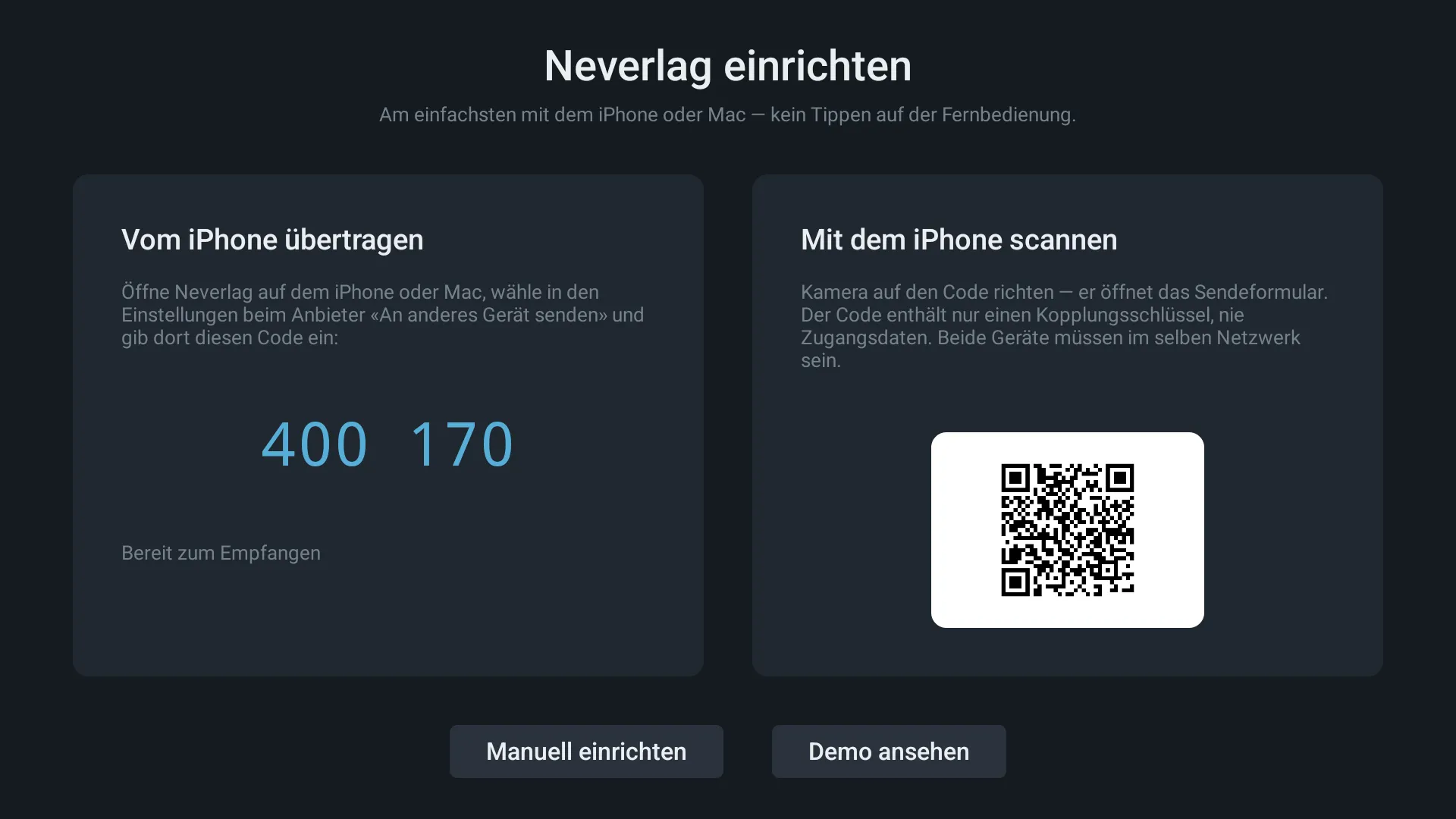
Android TV 9 or newer, remote control.
Also through the closed test on the Google Play Store, on the TV or the box.
Fire OS 7 or 8 (Stick 4K, 4K Max, Cube from 2020).
As a test file to install (“sideload”) — the link is in the test community.
The Android robot is reproduced or modified from work created and shared by Google and used according to terms described in the Creative Commons 3.0 Attribution License.
How it works
Email, Reddit name, your devices — that is all we need. There is no confirmation email; what counts is the invitation.
We invite your Reddit name to the closed test community. Everything else is there: status, known issues, questions, answers.
For phone, tablet and Android TV you accept the opt-in link of the Google Play test and install the app like any other. For Fire TV you install the test file.
Your list, your provider, your evening. When something is off, tell us — in the community or by email with the app’s journal.
Feedback and issues go through the closed community r/NeverlagBeta — every tester sees what is already known, and we answer in one place.
For playback problems the app’s journal helps: it records what the player decided, without credentials and without provider names. You share it straight from the app by email.
Journals by email to
Settings Advanced Share journal
Credentials, the addresses of your sources and provider names are masked in the journal before it leaves your device.
We take a small group. If your entry counts, the invitation shows up at your Reddit name.
The first round is full or over. Enter your details — we reach you at your Reddit name as soon as it continues.
Thanks, you are on the list.
Watch for the invitation to r/NeverlagBeta — it goes to your Reddit name. No confirmation email, no newsletter.
To the Google Play test (opt-in) To the test community r/NeverlagBeta
You find the opt-in link and the community access after the invitation in r/NeverlagBeta.
Another device? You can sign up again with the same email — we merge the details.
No. The test build is free and you can stop at any time. Whether and how Neverlag for Android is paid for later on the Google Play Store, the store shows when the time comes.
The exchange runs in the closed community r/NeverlagBeta: there you report issues, see what is already known and talk to other testers. The invitation goes to your Reddit name — without it you cannot get in.
A Reddit account is free. For the test it should be a few days old.
Whoever signs up within the window while the group is not full — in order of sign-up. We check that the email address and the Reddit name are real; what we cannot check does not count for the first round but stays noted for the next.
We do not say how big the group is — it is small enough to read every report.
Email, Reddit name, device model and your current player are stored encrypted on a server in Switzerland. We use them only for the test: invitation to the Google Play test, invitation to the community, matching issue reports. After the test they are deleted.
No newsletter, no sharing, no analytics. Details in the privacy policy.
The Fire TV file on /apps/ is the stable build. The test runs the new, shared Android build — on Fire TV too. You can install both side by side.
No. Neverlag is a player. You need your own M3U playlist or credentials from an IPTV provider. Neverlag does not contain, deliver or broker any content — not in the test either.
The same player, the same reserve — on the App Store today and as a Fire TV file.
Neverlag is a player. You need your own M3U playlist or credentials from an IPTV provider. Neverlag does not contain, deliver or broker any content.