Settings → Diagnostics
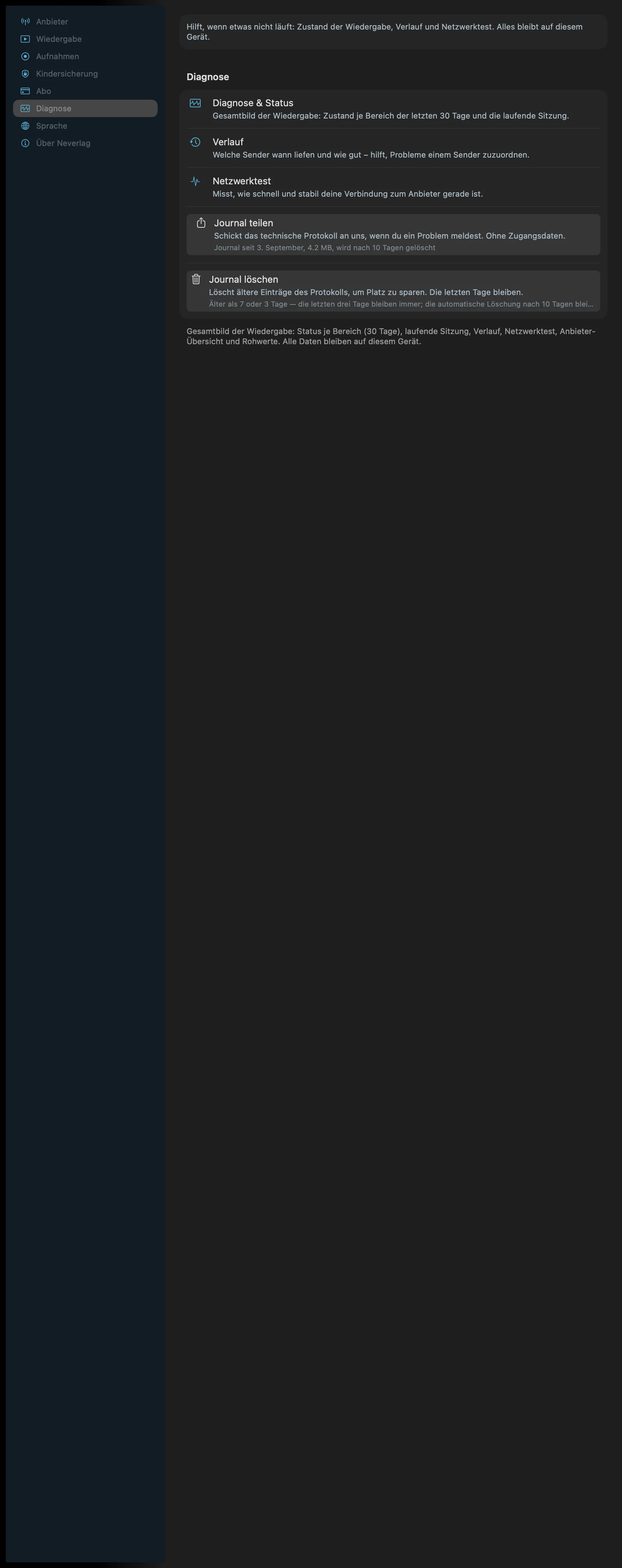
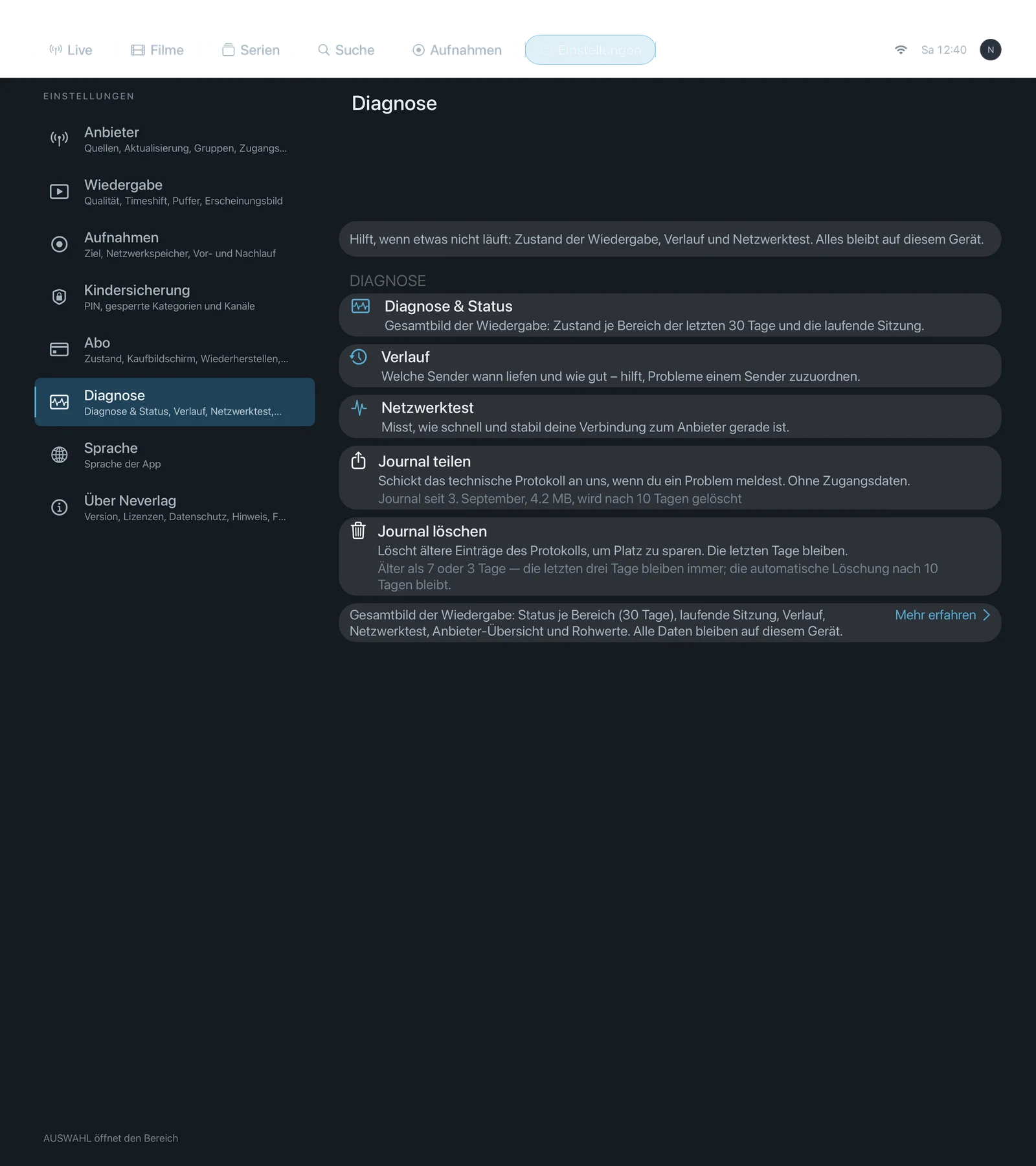
Sentence at the bottom of the section: “Overall picture of playback: status per area (30 days), current session, history, network test, provider overview and raw values. All data stays on this device.”
What you actually do when something goes wrong and what support needs is described under Troubleshooting. This page is only about the five settings.
| iPhone | iPad | Apple TV |
|---|---|---|
 |  |  |
What the journal is
Neverlag keeps a technical log of playback: when a channel started, how full the reserve was, when the app reconnected, when the picture stalled. This is called the journal. It stays on the device and is deleted automatically after 10 days (older entries move to the archive). Nobody sees it unless you share it.
Settings
Diagnostics & status
- Where: Settings → Diagnostics · Mac, iPhone, iPad, Apple TV
- What it does: “Overall picture of playback: state per area over the last 30 days and the current session.” A page of its own with a traffic light per area (Delivery, Picture, Audio, Connection), the current session, plus the sub-pages “Provider overview” (connections, expiry date, last import, catalogue counters) and “Raw values of the current session” (all measurements without any assessment).
- Default: – (button)
- Options: none
- When to change: When you want to know whether a problem lies with the channel, the provider or your network.
- What it costs: Nothing.
- Works together with: The quality window, History
History
- Where: Settings → Diagnostics · Mac, iPhone, iPad, Apple TV
- What it does: “Which channels ran when and how well – helps to attribute problems to a channel.” List of the sessions of the last 30 days with an analysis per session.
- Default: – (button)
- Options: none
- When to change: When a problem occurs only with certain channels or at certain times.
- What it costs: Nothing.
- Works together with: Diagnostics & status, Troubleshooting → What support needs
Network test
- Where: Settings → Diagnostics · Mac, iPhone, iPad, Apple TV
- What it does: “Measures how fast and stable your connection to the provider is right now.” Checks name resolution, connection setup, encryption and first response one after the other – once to your provider, once to a neutral reference target (an Apple page). No data is transmitted in the process.
- Default: – (button)
- Options: none
- When to change: When channels don’t start or keep reloading and you want to know whether your network or the provider is the problem.
- What it costs: A few kilobytes of data per run.
- Works together with: Troubleshooting, How Neverlag stays stable
Share journal
- Where: Settings → Diagnostics · Mac, iPhone, iPad, Apple TV
- What it does: “Sends the technical log to us when you report a problem. Without logins.” You choose the period (Today, Last 3 days, Everything); the app anonymises first: “Provider names, hosts, IP addresses and logins have been removed. The events themselves remain complete.” Then the share sheet opens (Mail, AirDrop, Files). On the Mac also “Save…”. On the Apple TV the journal goes encrypted to your paired iPhone or your Mac on the home network; if neither is reachable, a QR code appears that is valid for 30 seconds – the phone downloads the file directly from the Apple TV.
- Default: – (button)
- Options: period “Today”, “Last 3 days”, “Everything” – shorter is smaller, longer shows more history.
- When to change: When you report a problem; ideally shortly after it happened.
- What it costs: A file of a few hundred kilobytes to a few megabytes.
- Works together with: Send feedback, Troubleshooting → Share journal
Delete journal
- Where: Settings → Diagnostics · Mac, iPhone, iPad, Apple TV
- What it does: “Deletes older entries of the log to save space. The last few days remain.” You choose “Delete older than 7 days” or “Delete older than 3 days”, then a confirmation follows. “The last three days always remain; automatic deletion after 10 days stays in place.”
- Default: – (button)
- Options:
- Older than 7 days – Advantage: A week of history remains. Disadvantage: Saves less space.
- Older than 3 days – Advantage: Smallest journal. Disadvantage: A problem from four days ago is gone.
- When to change: Rarely needed; automatic deletion after 10 days is usually enough.
- What it costs: Nothing; saves storage.
- Works together with: Share journal